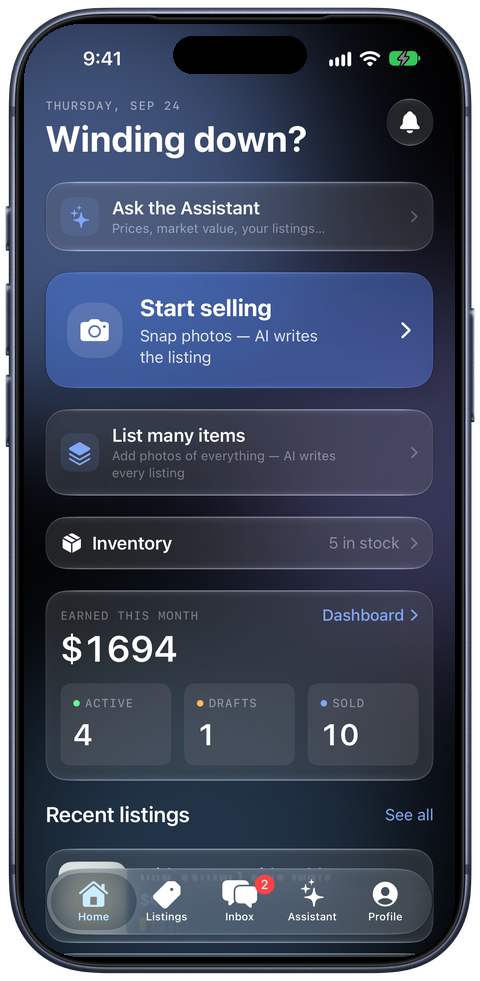
ListSync
Cross-listing for iPhone and Mac

List once.
Sell everywhere.

Photograph a whole shelf, and ListSync writes every listing and posts each one to ten marketplaces. Fifty items, one afternoon, no typing.

iPhone · Mac · Windows & Android coming soon

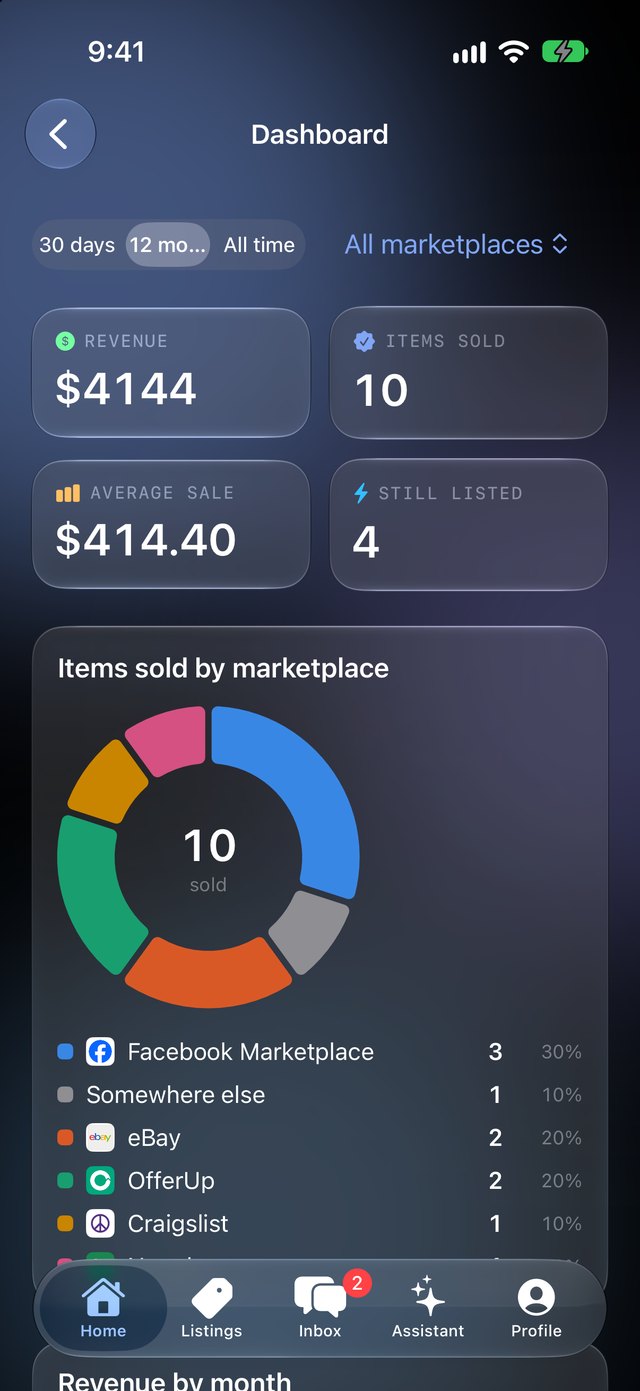
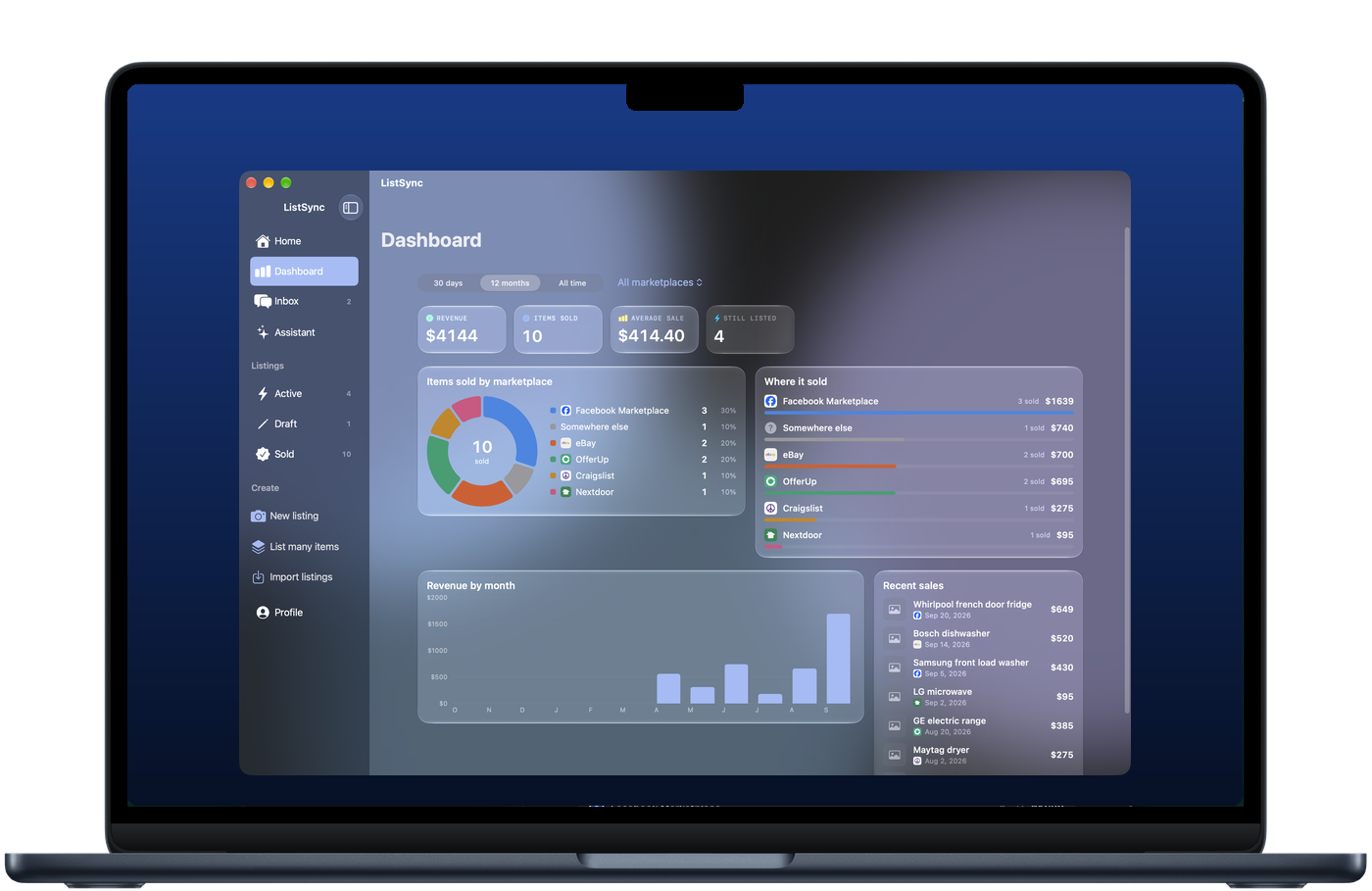
ListSync on a MacBook, showing the sales dashboard ListSync on an iPhone, showing the Home screen
Facebook Marketplace
eBay
OfferUp
Craigslist
Nextdoor
Mercari
Poshmark
Vinted
Etsy
Grailed

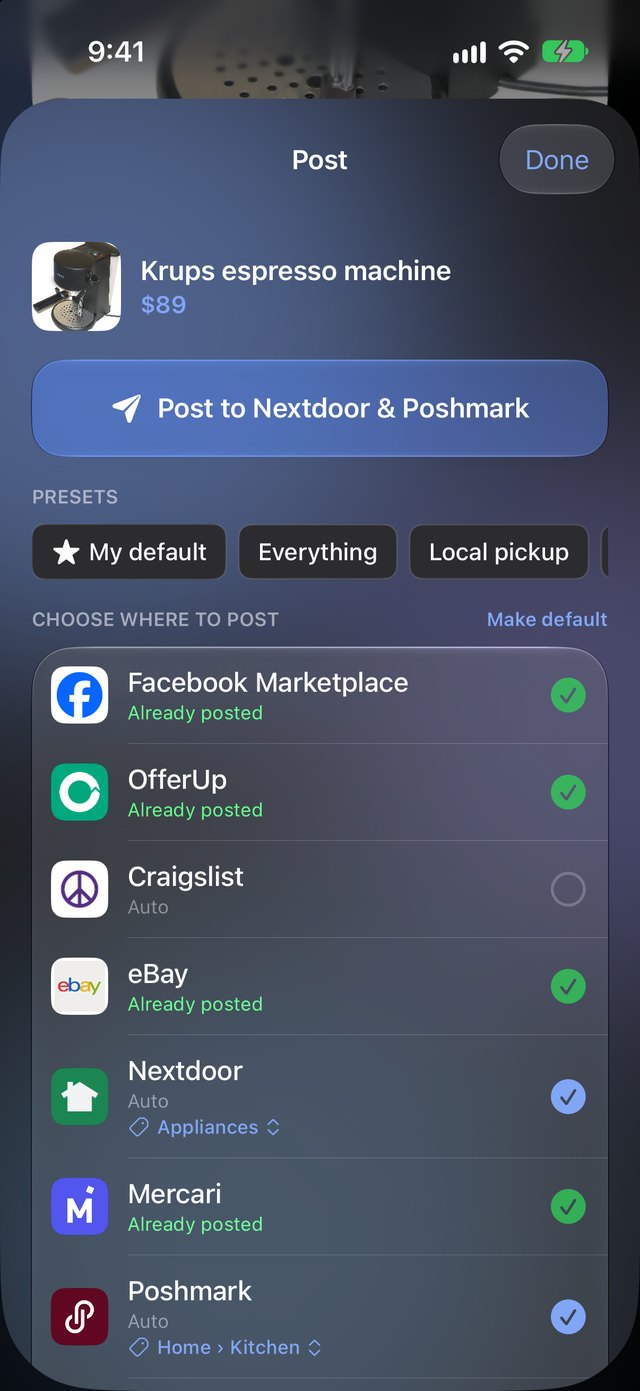
Posts to the first seven for you. Vinted, Etsy and Grailed open with everything filled in for you to paste.

60photos in one batch, sorted into items for you
10marketplaces from a single Post button
0listings typed by hand
Mass listing

Photograph the shelf. Get the listings.

This is the part that saves the afternoon. Take photos of everything you want to sell, in one go. ListSync works out which photos belong to which item, writes a listing for each one, and posts the lot.

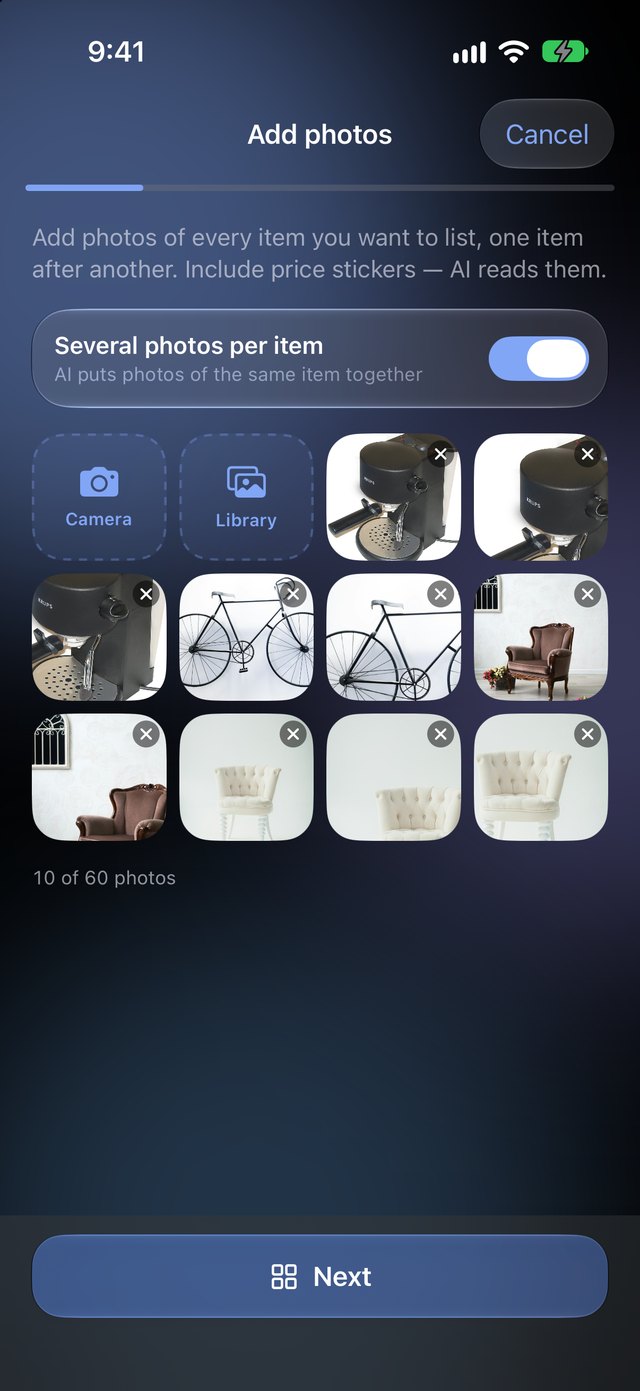
  1. Add photos: ten photos of four different items added at once

    Add every photo at once

    Up to 60 photos in a batch. Walk the aisle, shoot each item from a couple of angles, include the price sticker.

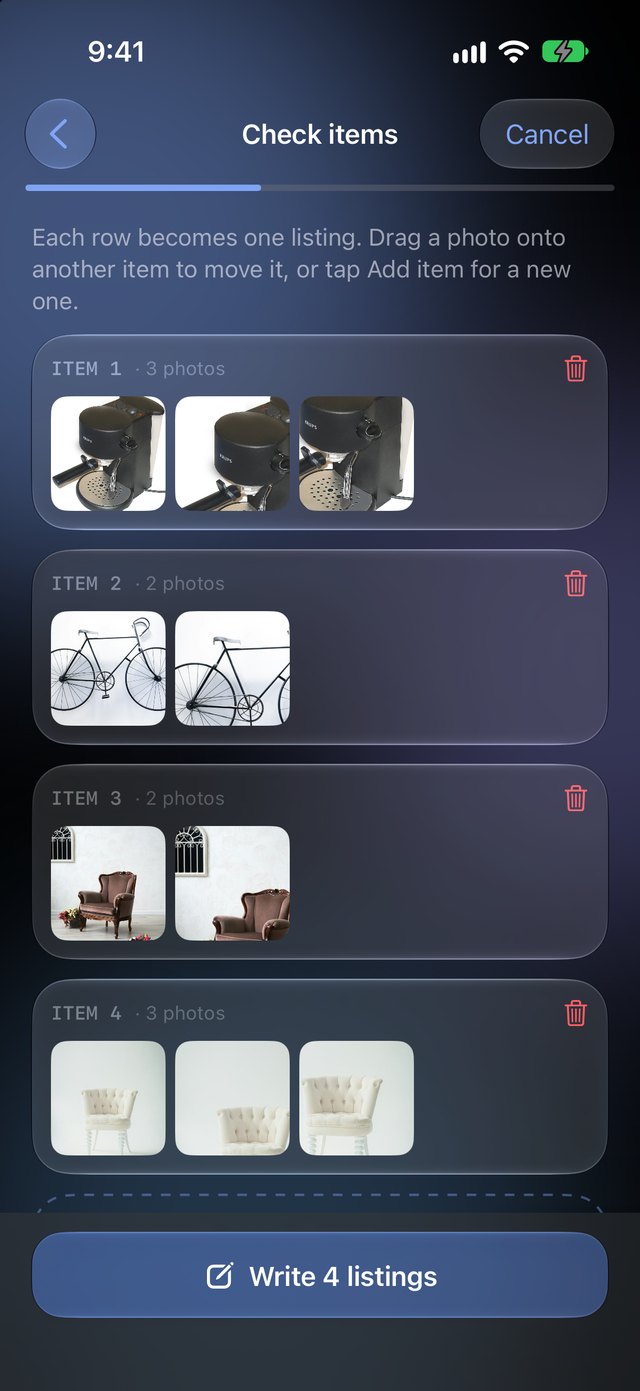
  2. Check items: the photos sorted into four items, three espresso machine photos together

    It sorts them into items

    The three espresso machine shots land together, the two bike shots together. Guessed wrong? Drag a photo to the right item.

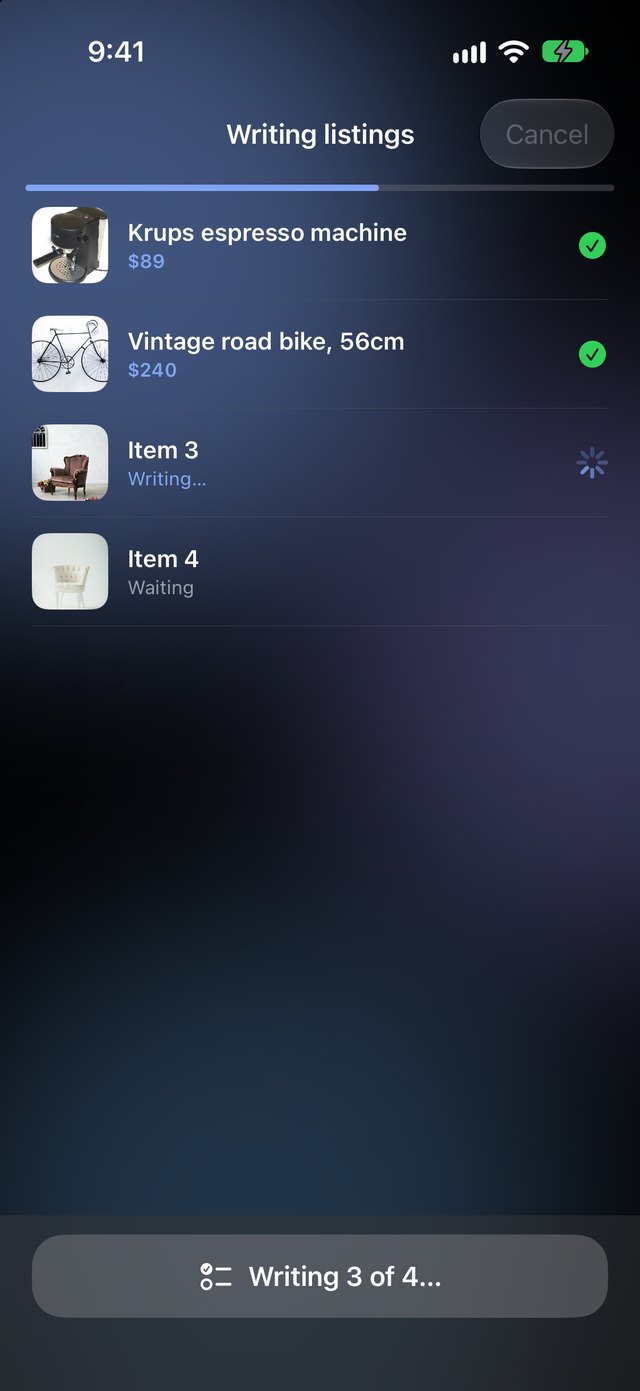
  3. Writing listings: two done with titles and prices, one writing, one waiting

    Every listing gets written

    Title, description and price for each item, several at a time. Prices come off the stickers when they're in the photo.

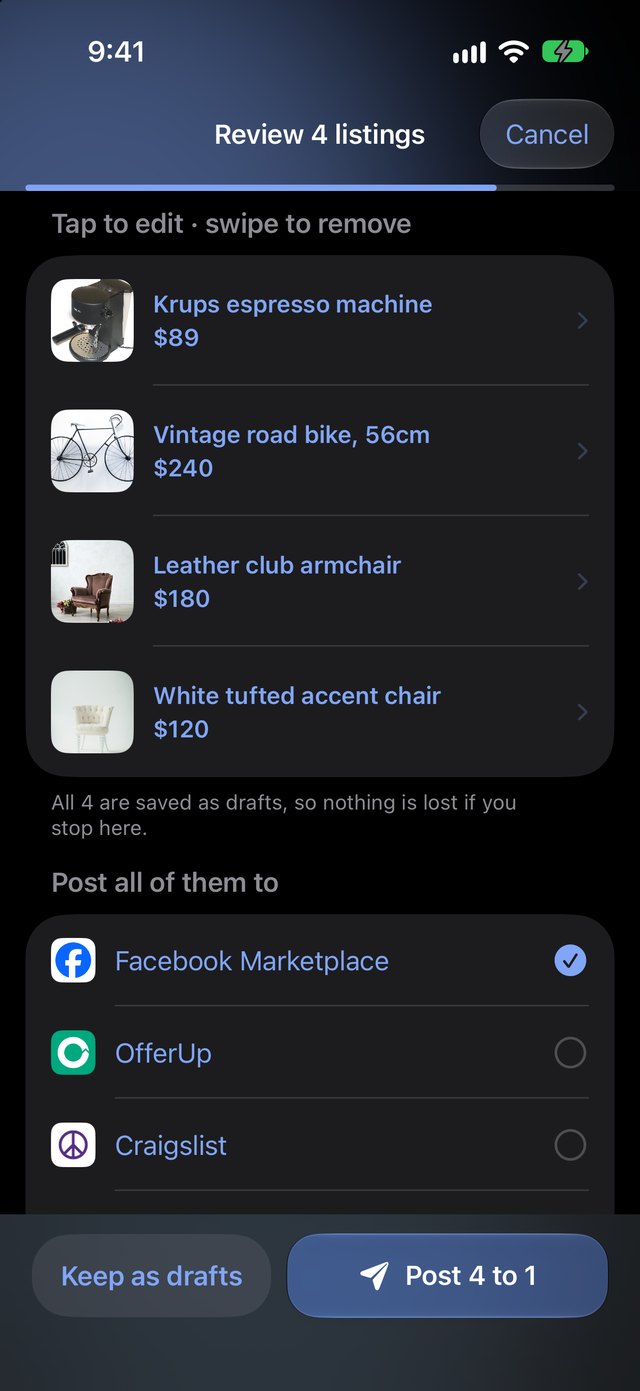
  4. Review 4 listings: tap to edit, then post all of them to the chosen marketplaces

    Look them over, post them all

    Tap any listing to tweak it, pick the marketplaces, tap once. Everything is saved as drafts, so nothing is lost if you stop halfway.

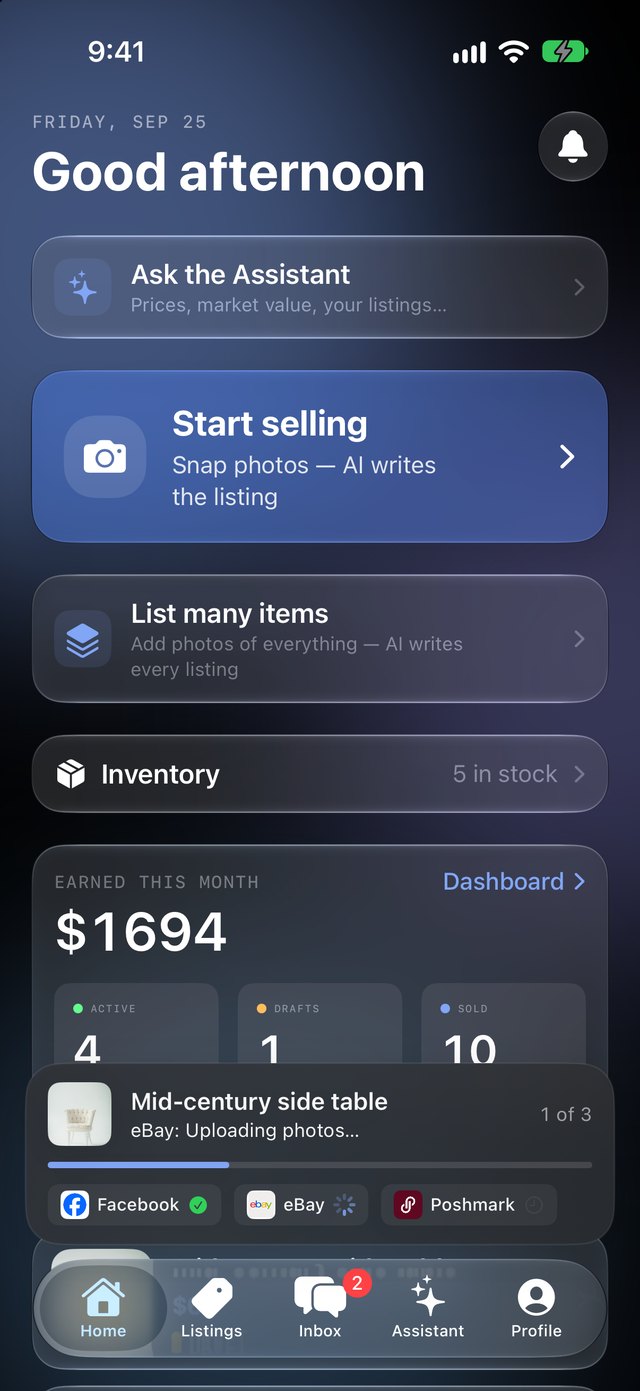
ListSync Home screen with a listing posting to eBay in the background

Tap Post, then get on with your day.

Pick the marketplaces, tap Post, and the screen closes. A bar at the bottom shows each marketplace going live: Facebook done, eBay uploading photos, Poshmark waiting its turn. If one of them fails, it tells you why and gives you a Retry button. You don't sit there watching a spinner.

ListSync fills in each marketplace's own form for you, category and all, using the login you made once inside the app. It never has your marketplace password.
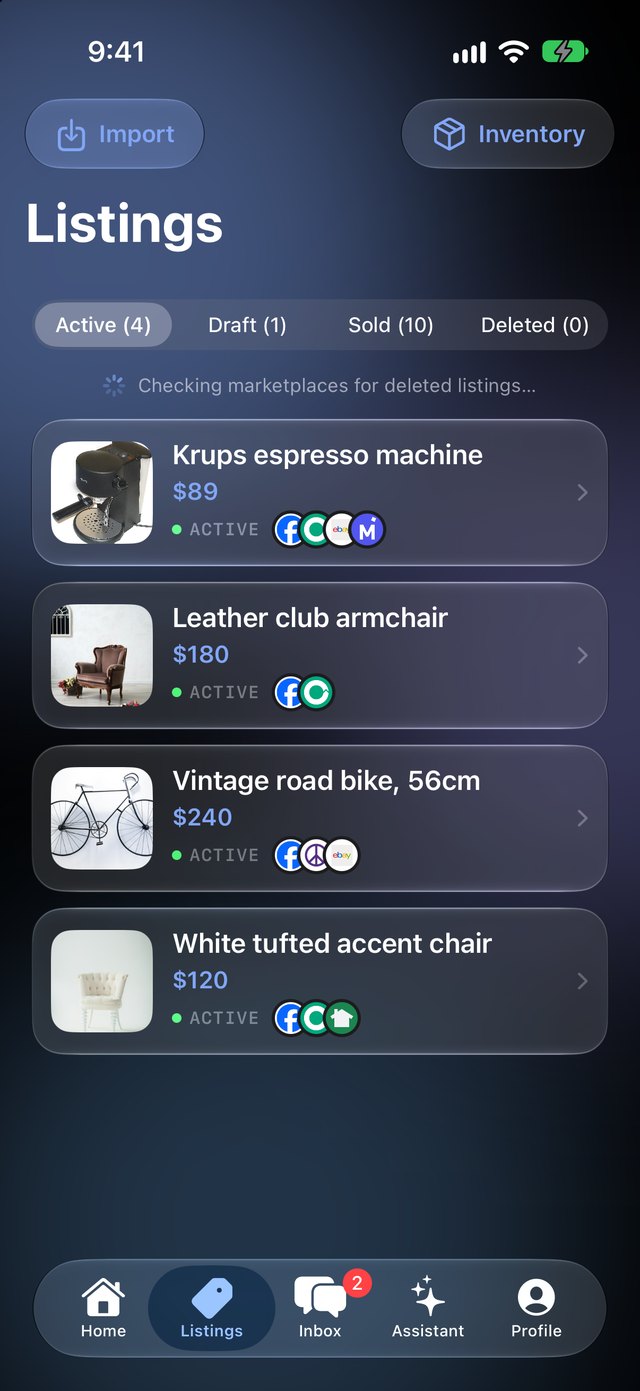
ListSync Listings screen showing where each item is live

One list of everything you're selling.

Each item shows the marketplaces it's live on. Every few minutes ListSync checks them. When something sells, you get an alert right away, it's marked sold on Facebook for you, and the alert shows where else to pull it down with one tap. That's how you avoid selling the same product twice.

Already have listings up? Import them from Facebook, eBay, Poshmark or Mercari and they join the list.

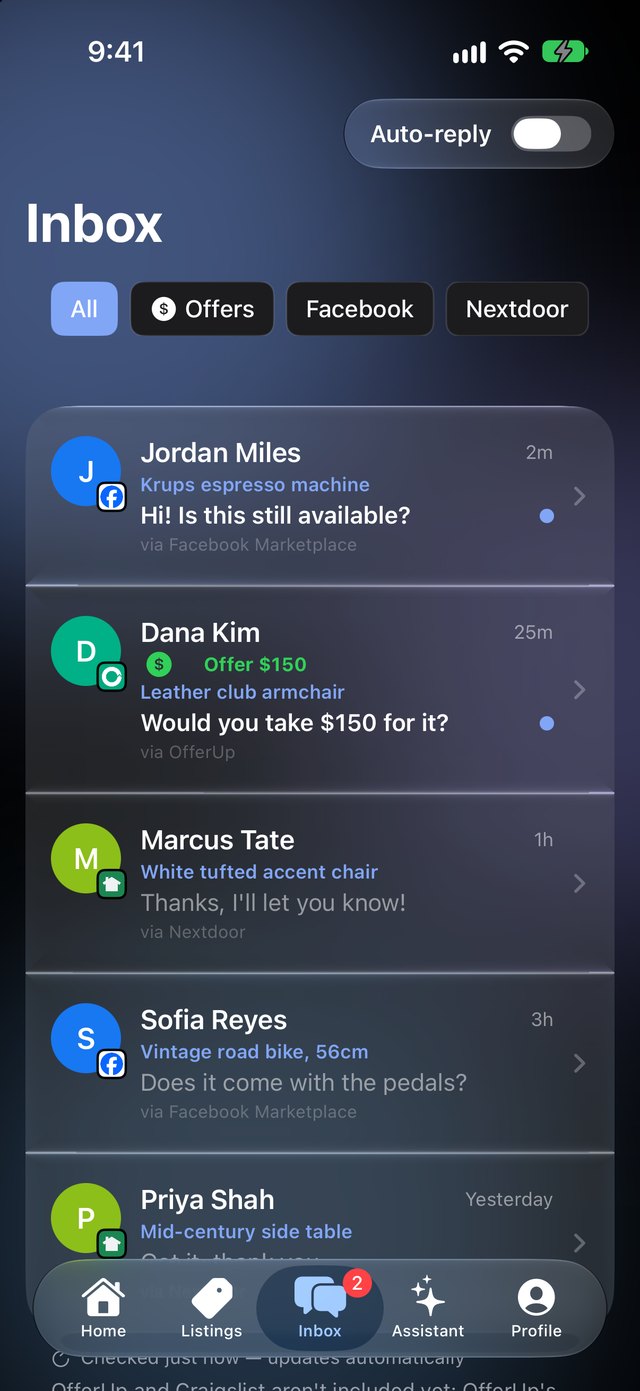
ListSync Inbox with buyer messages from three marketplaces

Buyers from every marketplace, one inbox.

Facebook, Nextdoor and eBay chats land together, with offers flagged so you see the money first. Turn on Auto-reply and ListSync answers "Is this still available?" for you, in your words, and tells you it did.

The small things

Reads the price sticker
Point the camera at the tag and the price is filled in. No sticker? Tap Check what it sells for to see what the same item actually sold for lately.
A whole shelf at once
Take photos of everything, and ListSync sorts them into items. Drag a photo to another item if it guessed wrong.
Titles that get found
eBay, Poshmark and Mercari get a keyword-packed title. Facebook and OfferUp get the friendly one.
Right category on each site
Facebook, OfferUp, Nextdoor and Poshmark each get their own category, shown before you post so you can change it.
Mac and iPhone
Sign in on both and your listings, photos and sales stay in sync. Leave the Mac app open and it watches for sales all day.
Seven languages
English, Español, Русский, Українська, 简体中文, Tiếng Việt and 한국어. Your listings stay in whatever language you write them in.

Free for three days, then plans from $5 a month. Billed by Apple; cancel from your App Store subscriptions any time.

Get the beta